


A natural difficulty with fabrics that hold historic and current plans is that the plans overlie one another. Since fabrics are based on surveys which define points and boundaries, specially those shared between different surveys, key features are collinear. So you need a way to investigate the relationships both within and between plans. The Fabric Window is a collection of tools and controls designed to give a flexible and robust environment for such examination.
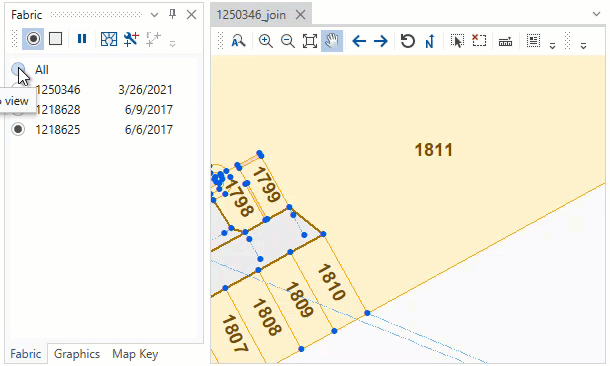
The Fabric Window presents a list of the plans in the fabric ordered by their survey date. The radio button and checkbox controls allow you to select what plans are active and visible in the map. Other controls or tools in the toolbar are enabled based on the selection of plans. See detailed information by selecting the topics in the table below.

Click on the action's icon or name below to jump to the details page.
| Icon | Action | Description | Target |
|---|---|---|---|
|
Select One | Select and view one plan at a time, select plan from list. | Fabric |
|
Select Many | Select and view combination of plans, select several plans from list. | Fabric |
|
Suspend / Resume | Suspend / Resume Fabric controls. Show all plans / Show prior selection. | Fabric |
 |
Show Background Fabric | Show unselected plans as background graphic. | Unselected Plans |
|
Show Joins | Show joins between plans. | Selected Plans |
|
Calculate Residuals | Calculate residuals between plans. | Selected Plans |
Important! Only the features of visible plans are selectable when using Fabric, Map and Cadastral Tools.