
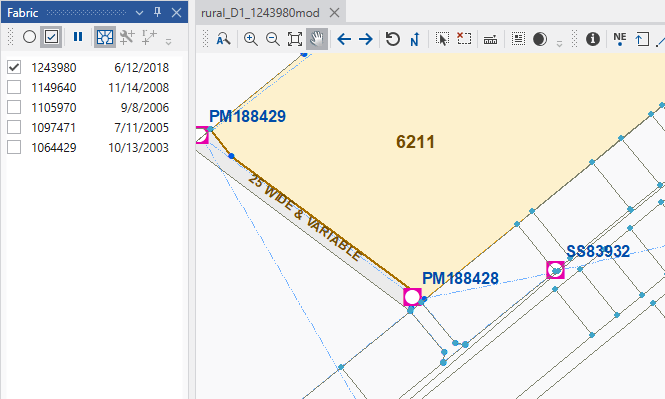
Selected plans are shown in the map with the current map theme or views. To better visualize the fabric, you can show the unselected plans as a background fabric geometry symbolized with light gray lines.
to show the background fabric. again to remove the background fabricBackground fabric below shown in light gray lines with light blue points. No labels or parcel fills are used to minimize distractions from the selected plan data.
Interactions: Some fabric and cadastral tools will remove the background fabric. Just toggle the button to reactivate.