
You can select and view an arbitrary combination of plans using the Fabric checkbox controls.
to set mode.'s to show selected plans.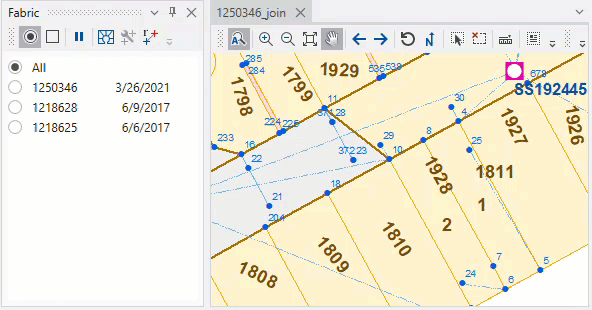
Note: The default state of a mode is to show all plans. If no plans are checked, all plans are shown.
You can get an in-depth understanding of a fabric by exploring the different plans and their connections at common points. You do this by selecting specific plans to be shown in the main and inset maps, then using Fabric Window tools or Main Map tools to examine their properties or make calculations.
Important! Only the features of visible plans are selectable when using Cadastral Tools.