Interface - windows


Dock as Document

Dock any window in the central tabbed document group. Originally intended to display working and reference documents that need a larger region to display their information efficiently. If you have multiple monitors you can float documents or create new document tabbed groups on secondary screens.


Window Docked as Document
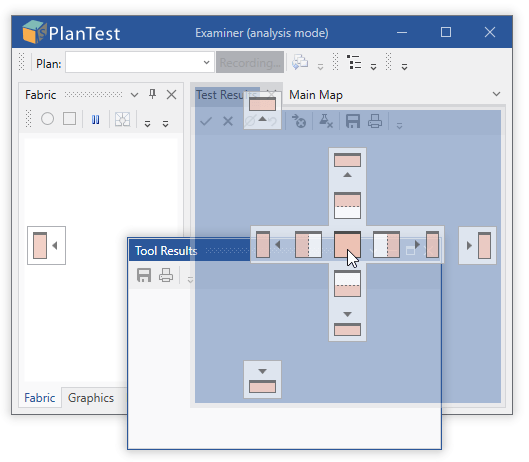
Tool Results window drag and hover over central guide.

Window Docked
Tool Results window docked as Document (tabbed MDI).

Basic Use

You can do this three ways:

  1. from the window's context menu
    1. right click the title bar to open the context menu
    2. select Dock as Document
  2. from the main menu,
    1. Select the window you want to dock
    2. Windows Dock as Document
  3. Click and drag, shown above.